
Using a Custom Domain for Your Hosted Space
Part of our guide to running an online community you actually own.
A hosted space comes with a default domain controlled by Flotilla - for example, myspace.spaces.flotilla.social. This works fine, but isn’t the most aesthetic thing to share with your community members. Using our domain also increases your level of lock-in.
With your own domain, migrating your relay to one you host yourself is just a DNS update away. Setting it up takes a few minutes. To get started, make sure you have your own domain name, purchased through a registrar like namecheap.com. For our purposes, we’ll use space.example.com as our custom domain.
Setting your domain
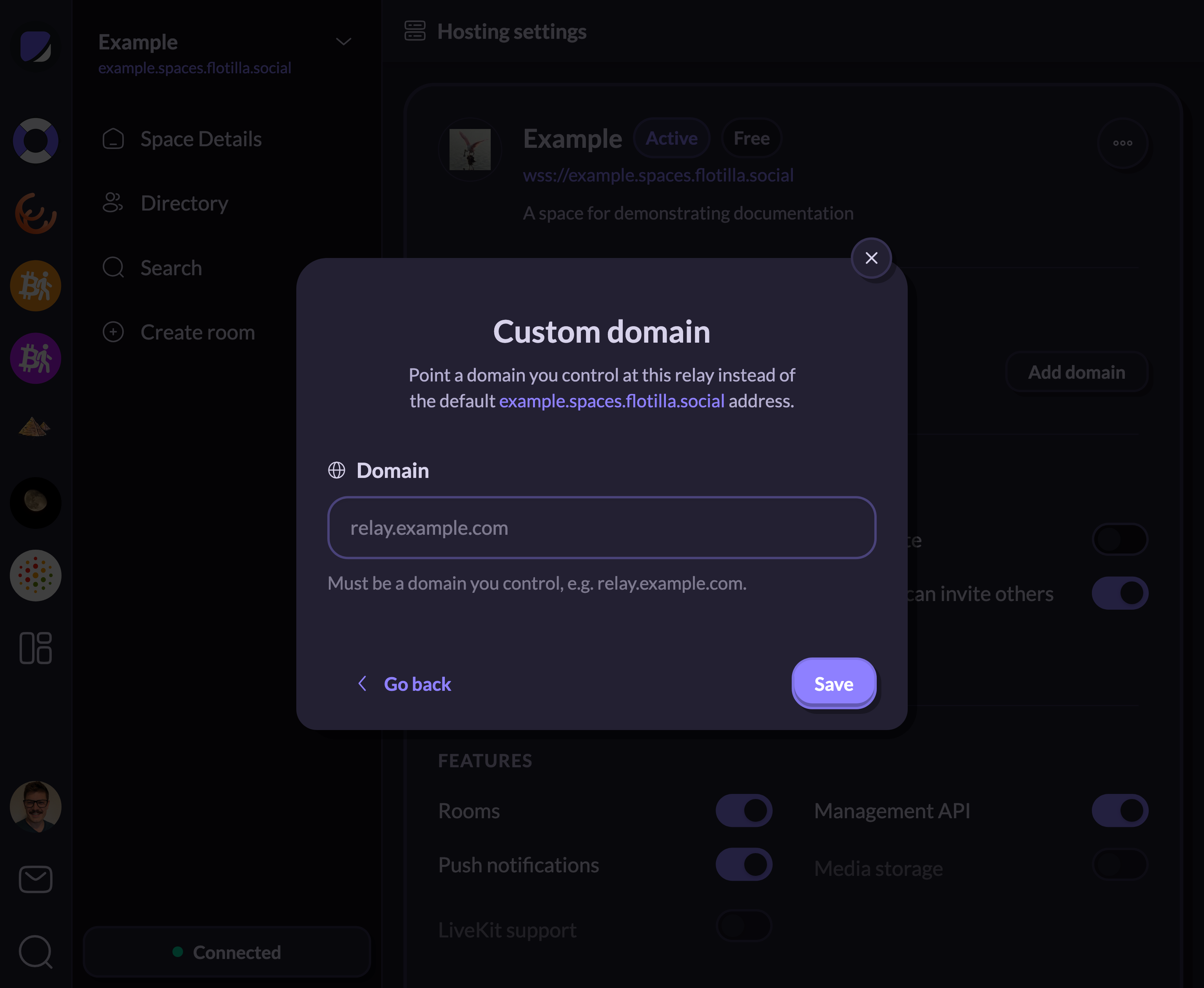
First, we need to tell Flotilla’s hosting panel which domain we’d like to use. To do that, visit the “Hosting” panel (via settings or from the home page). Next, click on the “Manage” button next to your space (or create a new one) and click “Add Domain”. That opens a dialog where you enter your custom domain:
The DNS record
Once you’ve saved the form, Flotilla will show you instructions for how to activate your new domain:
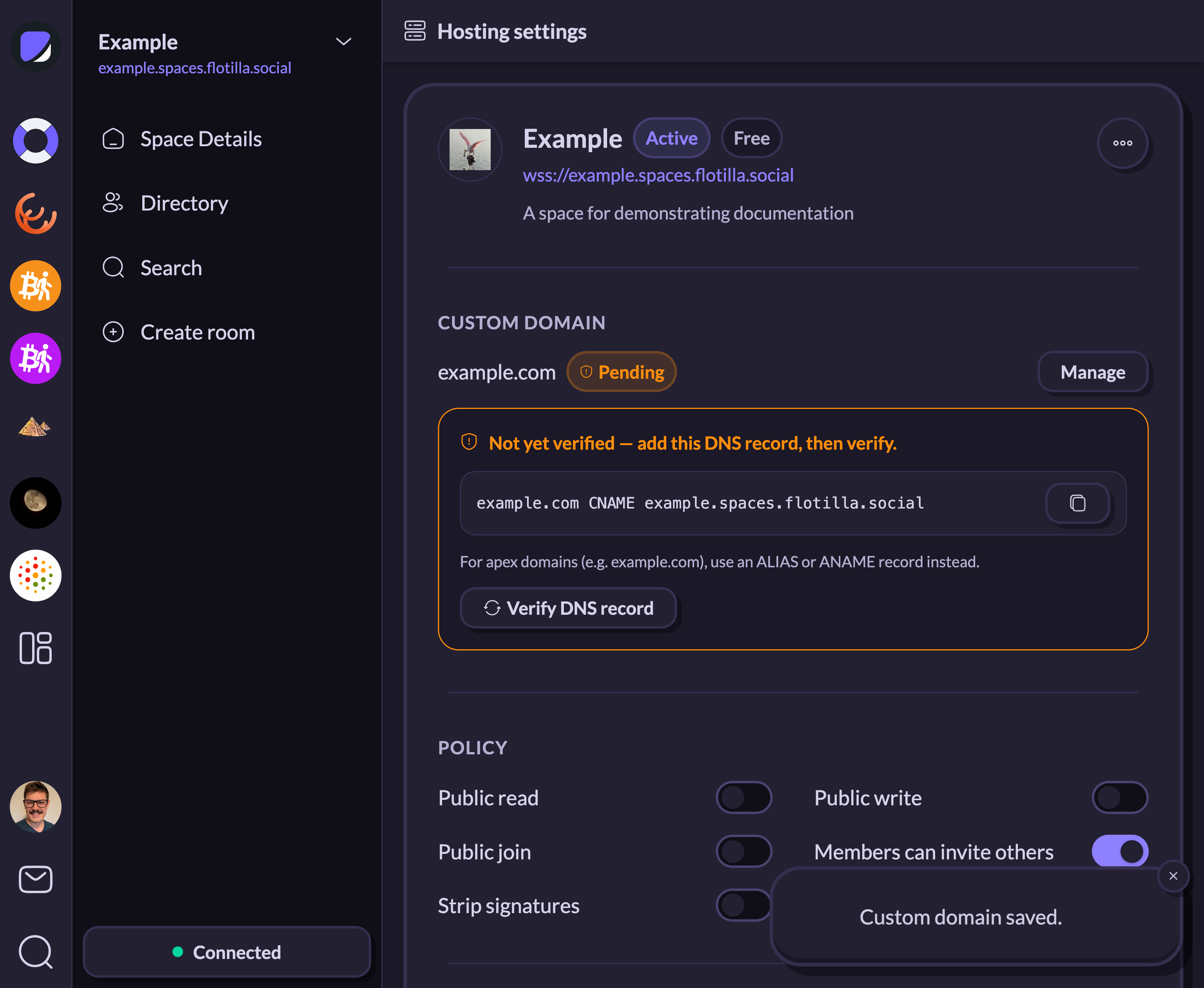
To complete this step, you’ll need to sign into the admin panel for your domain registrar and create a CNAME record there:
space.example.com CNAME example.spaces.flotilla.socialApex domains
One limitation to be aware of is that CNAME records only work on a subdomain (space.example.com), never on a bare apex or root domain (example.com). This is a DNS-wide rule rather than a hosting limitation. A CNAME can’t coexist with the other records, like MX, that usually live at a domain’s root.
To use a root domain, you’ll need an ALIAS or ANAME record instead. Providers that support them (Cloudflare, Route 53, and others) let you create one that behaves like a CNAME but is legal at the apex. It’s the same target with a different record type:
example.com ALIAS example.spaces.flotilla.socialWhat it’s called varies: DNSimple and NS1 use ALIAS, DNS Made Easy and easyDNS use ANAME, and Cloudflare has you enter an ordinary CNAME at the apex and flattens it for you. If your provider doesn’t offer that, you’re stuck with a subdomain.
Verification
Once the record is in place, verification runs in the background. DNS records can take some time to propagate; in the meantime, your space keeps working normally on its original subdomain.
Once verification comes through, Flotilla Hosting issues redirects from the old subdomain to your custom subdomain, and Flotilla migrates your user membership records.
If you ever need to go back, clear the custom domain out. The redirect reverses, sending people back to the Flotilla-owned domain.
For other hosting settings, see Hosting Your Space with Flotilla; for invoices and payment, see Billing and Payments for Your Hosted Space.