
Hosting Your Space with Coracle
Part of our guide to running an online community you actually own.
Flotilla is the app your community uses; it doesn’t host the community itself. Your space lives on a Nostr relay, and that relay has to run somewhere. This article covers what that means and how to get a relay — with a hosting provider or by running one yourself.
Flotilla is the app; your space is a relay
Flotilla is a client app — the software you and your members use to read and post messages. It has no servers of its own and hosts no one’s community. Spaces and rooms live on a relay, and that relay is what actually needs hosting.
So setting up a community means two things exist side by side: Flotilla, where members chat, and the relay, which runs on infrastructure you choose. Keeping that split in mind is the easiest way to avoid confusion while you get set up — a lot of “where is this setting?” questions come down to looking in the app when the answer lives with the relay, or vice versa.
Two ways to get a relay
You have two paths, and the difference comes down to who keeps the server running:
-
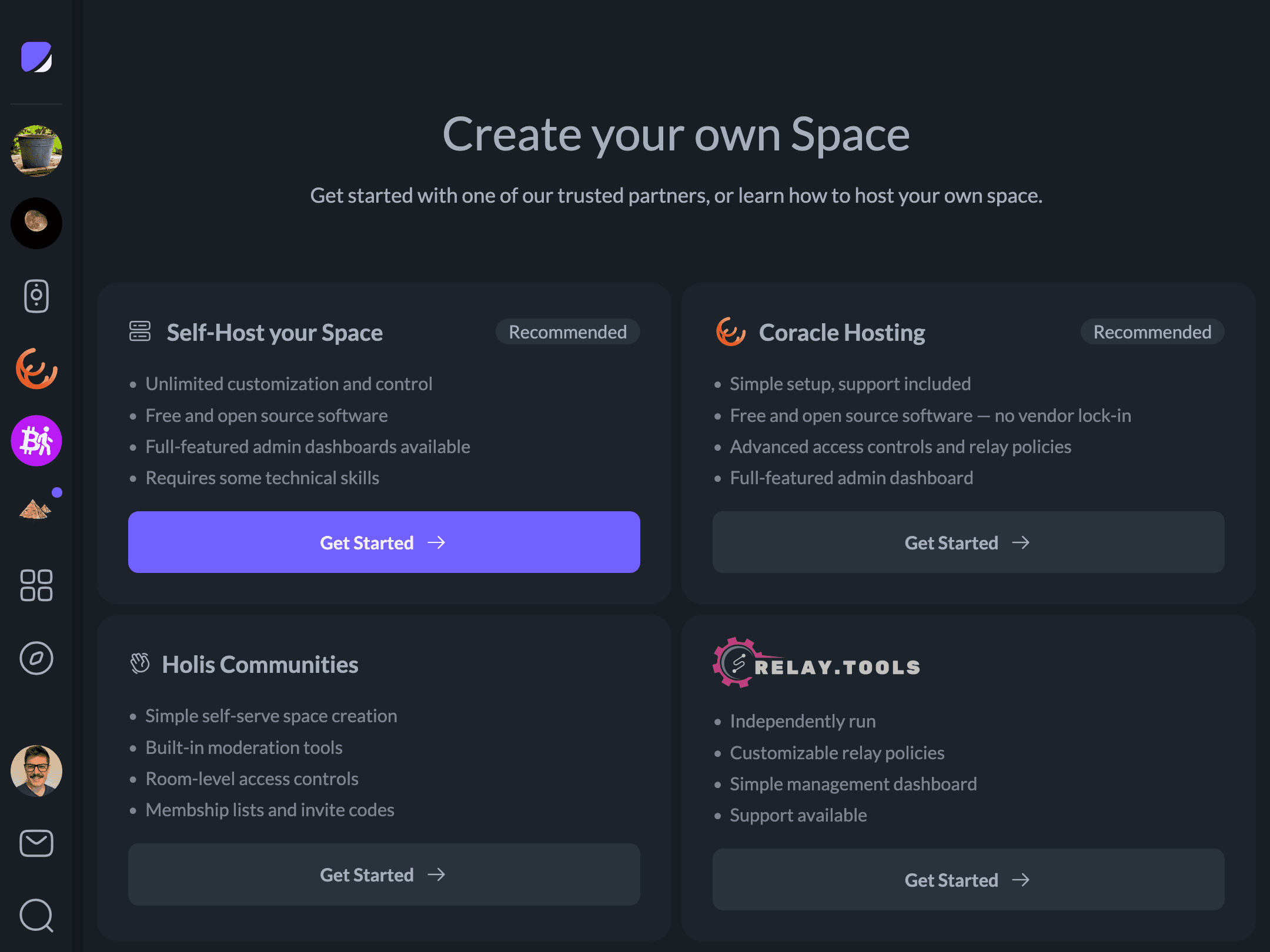
Hosted — a provider runs the relay for you. In Flotilla, click Add a Space, then Create a Space, to browse the available providers. Flotilla’s parent company, Coracle, offers a managed option that’s a simple place to start, but it isn’t the only one — it’s worth clicking through a few to find the right fit for your community.
-
Self-hosted — run the server yourself for the most control. There are dozens of Nostr relay implementations; we recommend Zooid by Coracle, built specifically to work with Flotilla, or Pyramid, which brings its own dashboard and relay policies. See Self Hosting a Space for a step-by-step walkthrough.
The rest of this article covers the managed path with Coracle Hosting.
Signing in to Coracle Hosting
Coracle Hosting is a separate control panel — a different site from Flotilla, with its own login. There are no email-and-password accounts; you sign in with your Nostr key, the same way you do across Nostr (a browser extension, a remote signer or bunker, or by importing an nsec or ncryptsec). As everywhere on Nostr, there’s no password reset, so back up that key before you rely on a hosted space.
Plans
Coracle Hosting offers three self-service plans, priced by member cap and feature set:
| Plan | Price | Members | Media storage & video |
|---|---|---|---|
| Free | $0/mo | 10 | Not included |
| Basic | $5/mo | 100 | Included |
| Growth | $25/mo | Unlimited | Included |
Rooms, the management API, and push notifications come with every plan, including Free. Media storage and voice/video calls turn on only once you’re on Basic or Growth. There’s also a Custom plan for larger communities — a white-labeled app, dedicated support, and custom development — arranged by booking a call rather than signing up directly.
Managing your relay
Once your relay is live, you run it from the Coracle hosting panel: switch plans, set the relay’s access policy, connect a custom domain, and handle billing. You can host more than one space under the same account, and deactivating a relay pauses it (and its billing) without losing any of your data. The panel is Coracle’s own product, and its documentation covers the day-to-day details.
Two things are worth knowing up front, because they’re where Flotilla and the hosting panel divide the work:
- Member moderation happens in Flotilla, not the hosting panel. Adding members, banning and restoring them, and reviewing reports are all done in the app, against the relay itself — see Managing a Space. The hosting panel only shows a read-only member count.
- How open your space is — who can read, post, or join — is the relay’s access policy. It’s set on the hosting side, but the decision is a community one; see Controlling Who Can Join Your Space.
If paying for hosting isn’t for you, Self Hosting a Space covers running the relay on your own server instead.